Coding Desktop
Unvibe
Plain English explanations of code you select
Updated 12 Nov 2026

Overview
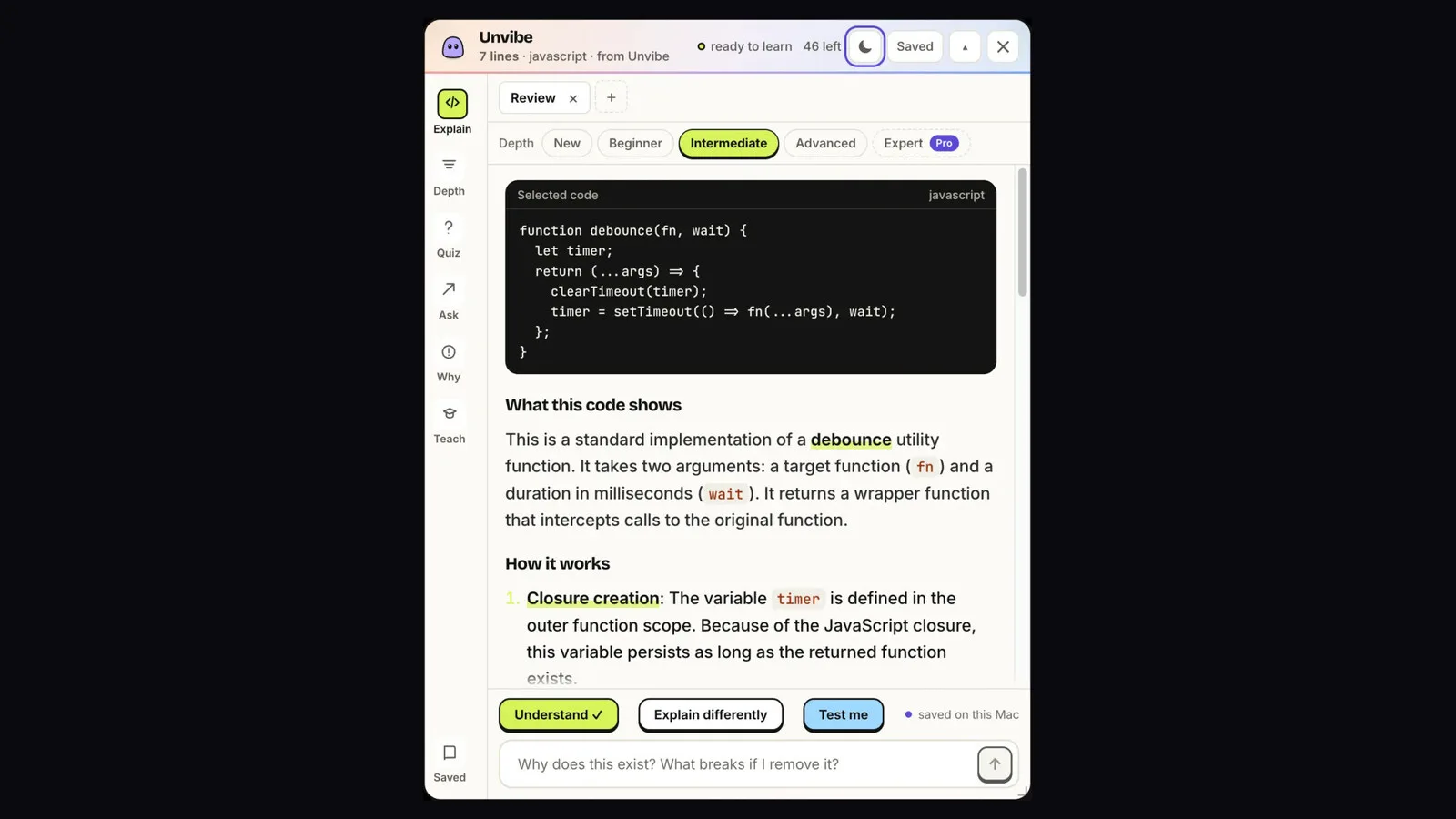
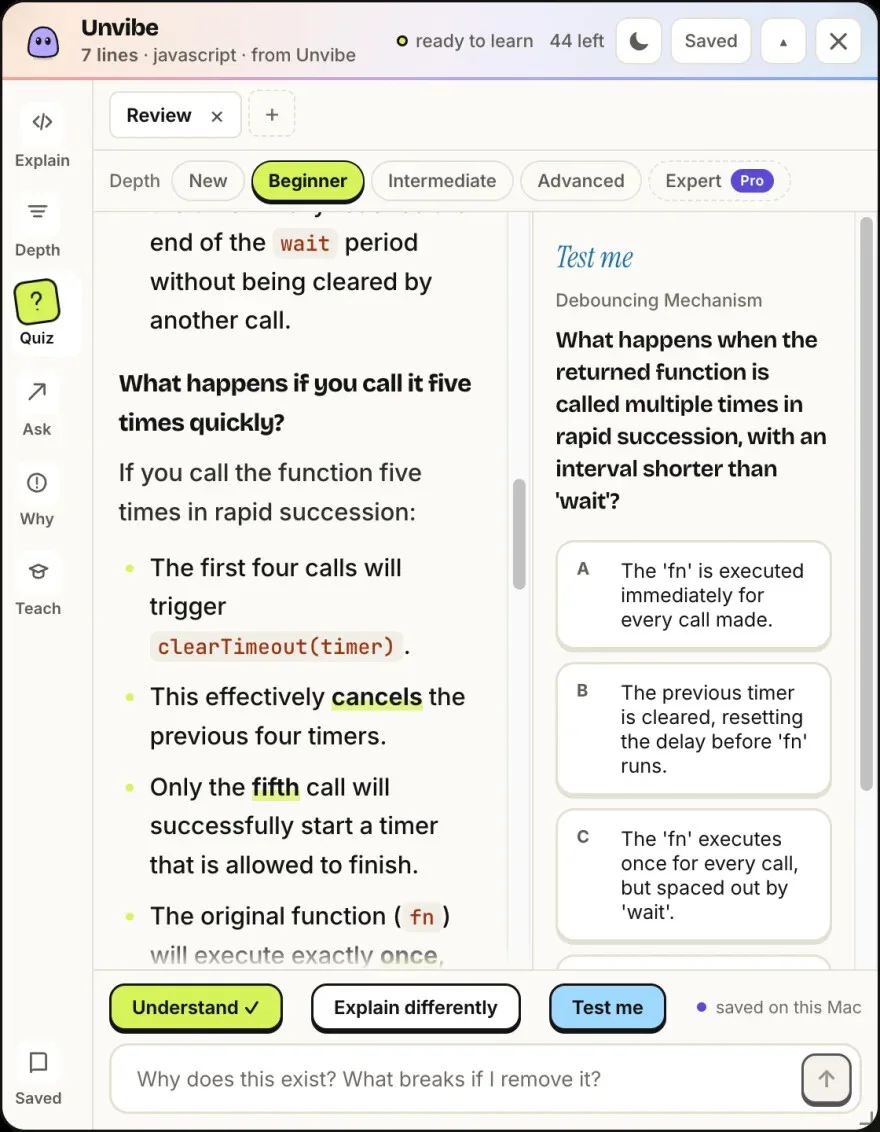
Unvibe is a free desktop app for Mac and Windows that explains code in plain English. Select code in any app, press Control+U (Ctrl+Alt+U on Windows), and a panel opens beside your editor with an explanation at the depth you pick, from New to Advanced. Ask follow-up questions, check yourself with Test me, and save what you learn to your Library. Keys and tokens are checked for on your computer before anything is sent. No API key and no card. AI explanations can be wrong, so check them against the code.
Pricing: Free
Minimum macOS: 12.0 (Monterey)
Architecture: Apple Silicon, Intel
Key Features
- Select code in any app, press Control+U (Ctrl+Alt+U on Windows), and a panel opens beside your editor with a plain English explanation
- Pick the depth: New, Beginner, Intermediate or Advanced
- Ask follow-up questions about the same code
- Test me: questions that check whether the idea stuck
- Save what you learn to your Library
- Keys and tokens are checked for on your computer before anything is sent
- No API key and no card
