Productivity
PulseShot
Screenshots and screen recordings you mark up by talking
Updated 27 Oct 2026
Overview
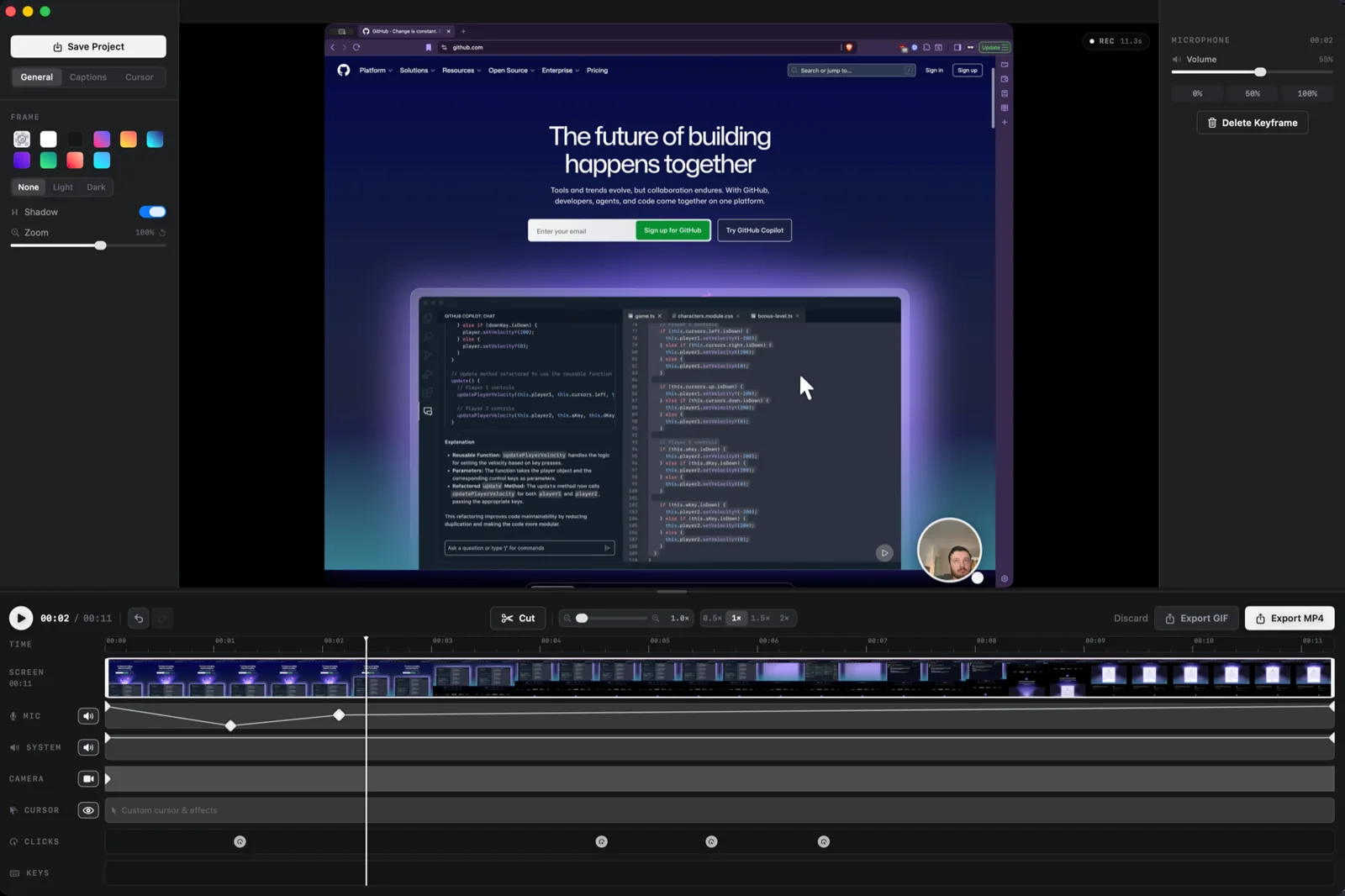
PulseShot captures, marks up and records your Mac screen. Hold fn, circle anything and say what it needs, and PulseShot places editable arrows, boxes and labels, planned on your Mac. It includes 15 markup tools, Scan & Redact, a screen recorder with a timeline editor, and a searchable library. No account and no analytics in the app. How the AI is used: voice and gesture markup is planned on-device with Apple Intelligence (macOS 26, Apple Silicon) or the free downloadable Gemma model; on-device Whisper captions; on-device OCR for Scan & Redact. No cloud AI.
Pricing: Free, Pro $19 one-time (launch price, regular $29)
Minimum macOS: 15.0 (Sequoia)
Architecture: Apple Silicon, Intel
Key Features
- Voice and gesture markup: hold fn, circle, speak
- 15 editable markup tools
- Scan & Redact with on-device OCR
- Screen recorder with timeline editor
- Searchable library of screenshots and recordings
- No account, no analytics