Phrase
Meeting and class notes you can check against the recording
Overview
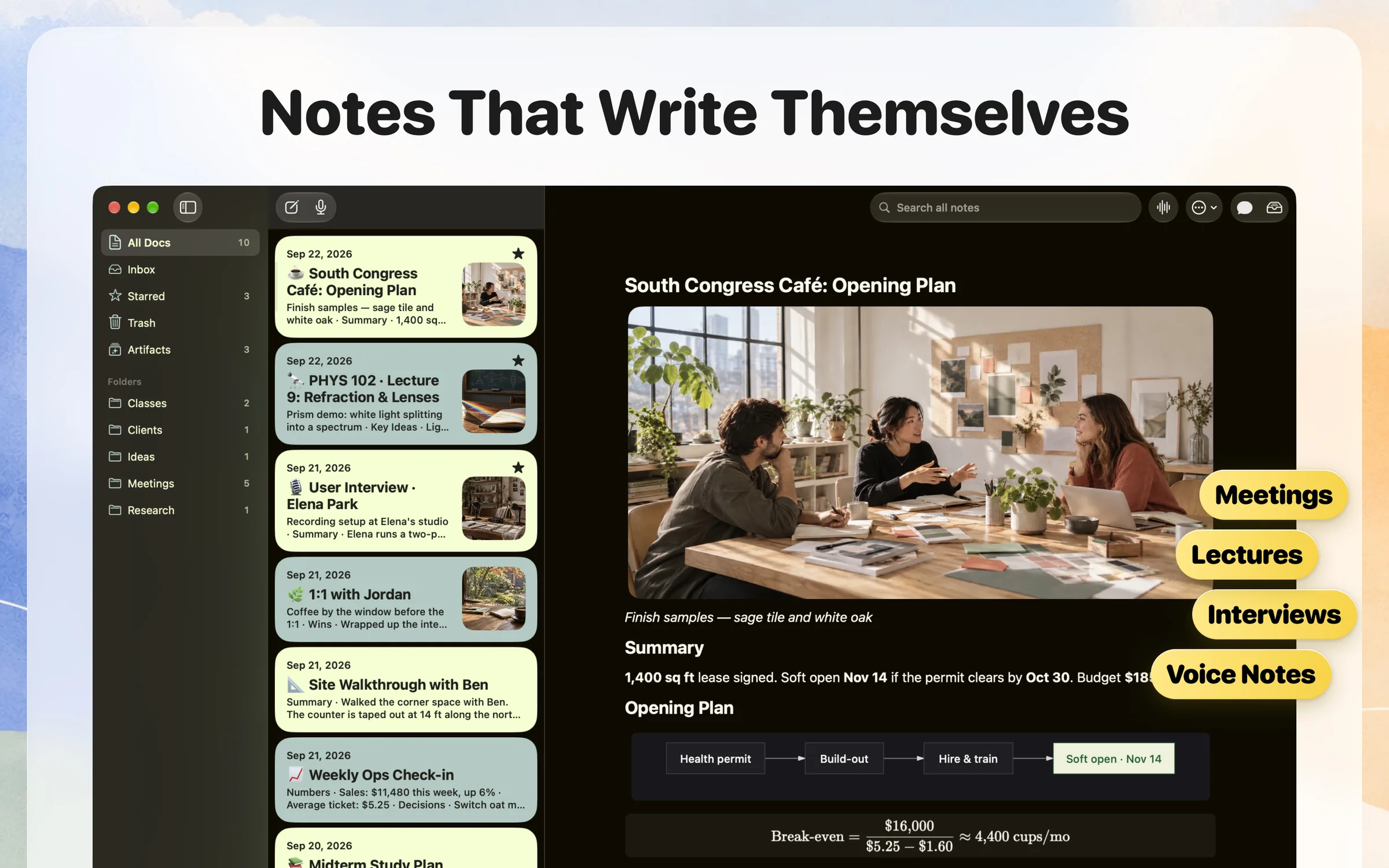
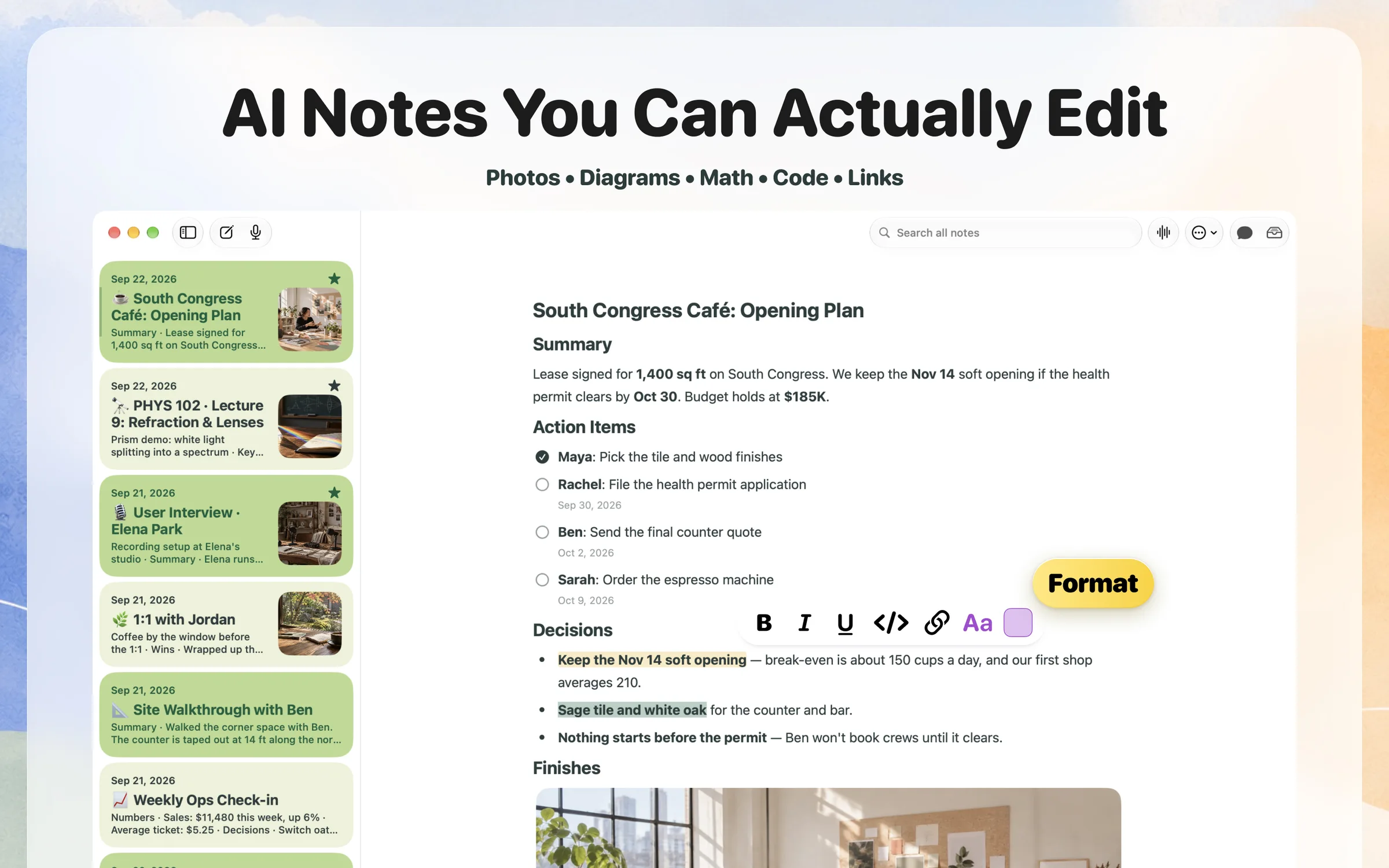
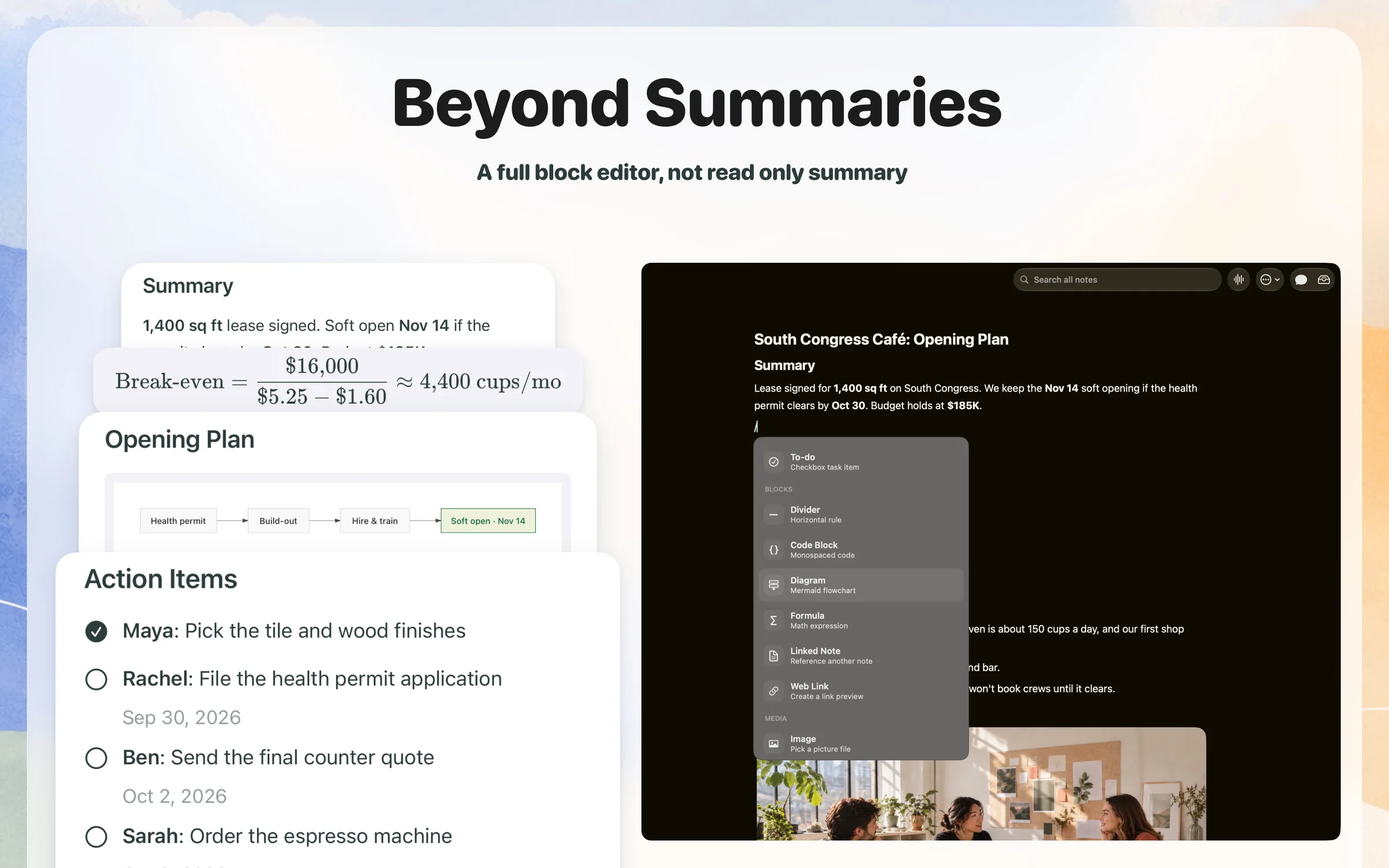
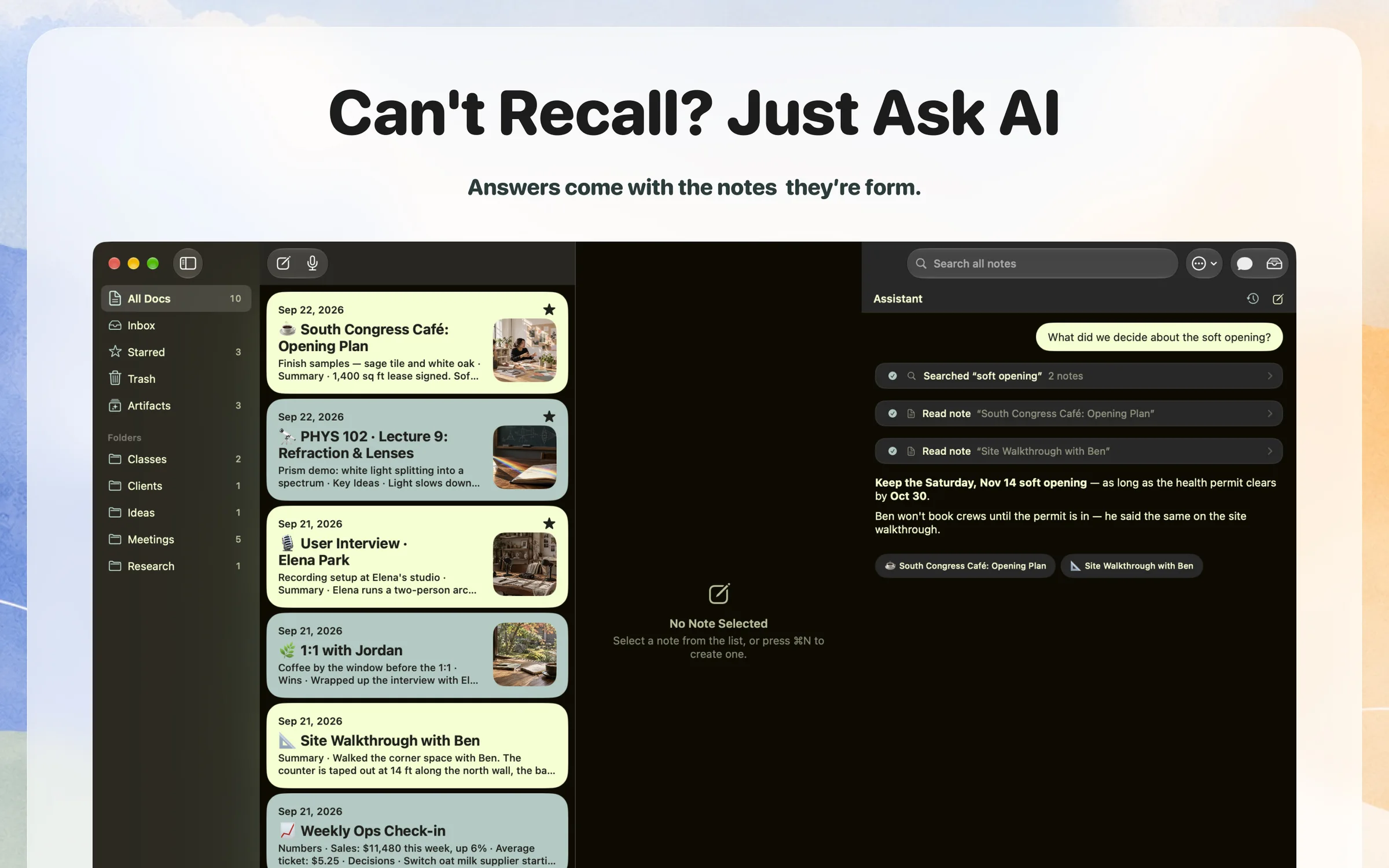
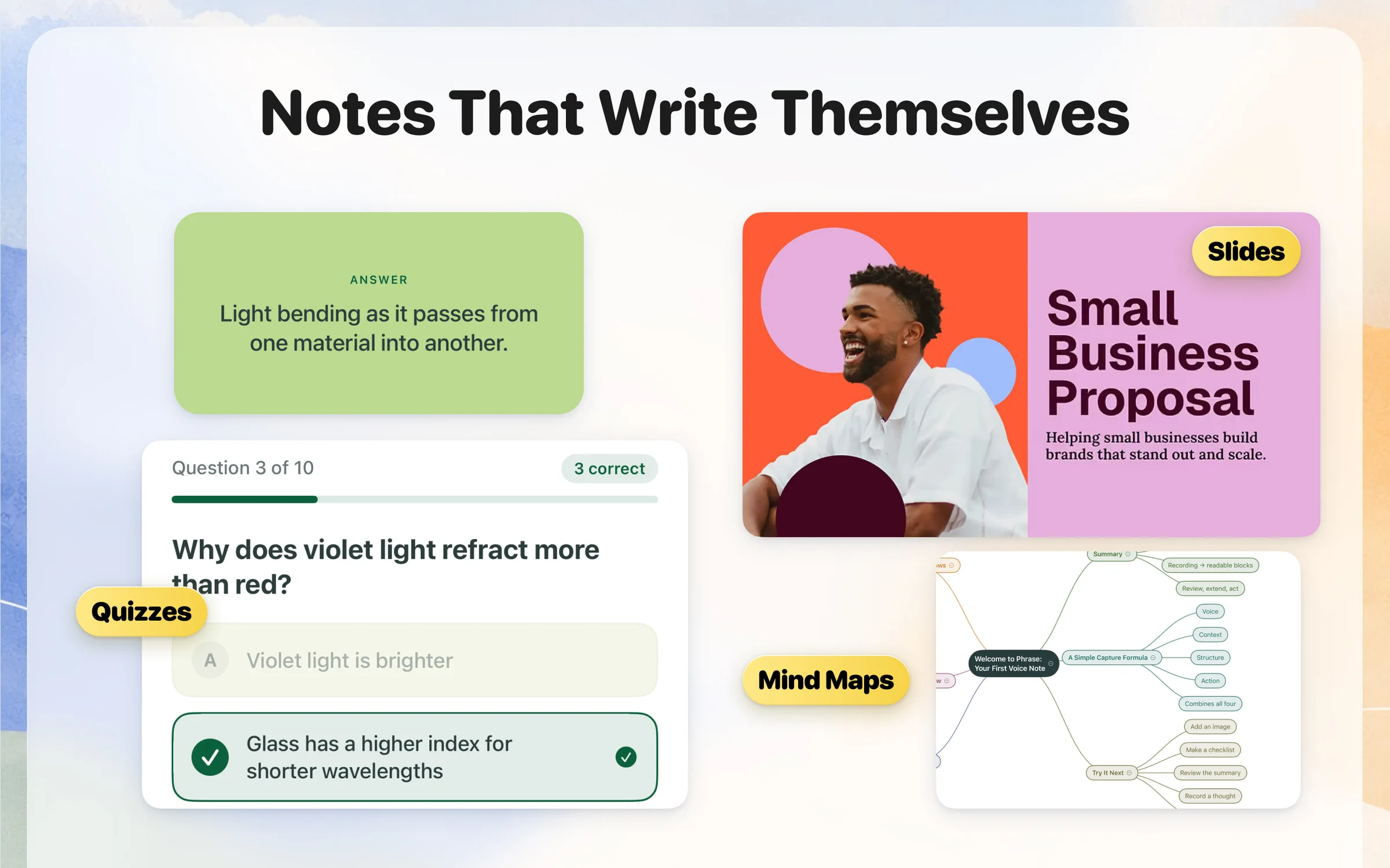
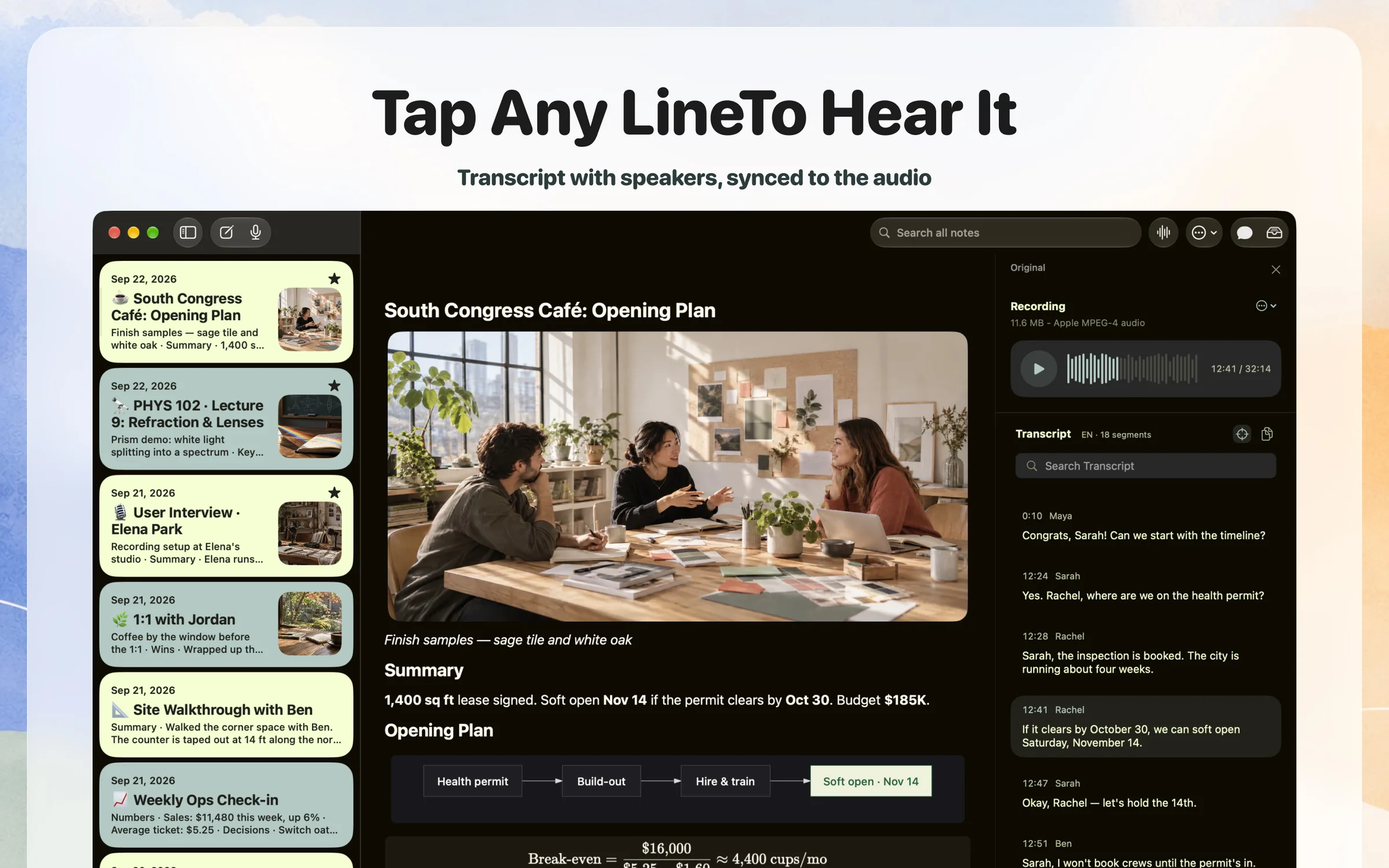
Press record on your Mac, iPhone or Apple Watch. After you stop, Phrase writes up a short summary, the decisions and the to-dos, with who does what and by when. On the Mac the note opens in a block editor: headings, to-dos, quotes and code with syntax highlighting are blocks you can edit or drag, a lecture's equations come out as LaTeX formulas, and a process someone walks through becomes a Mermaid diagram. How the AI is used: the recording is transcribed in 100+ languages with labels for who spoke, then written up as a structured note. The recording and the transcript stay with the note, so you can play any line and check the note against what was said. You can ask Phrase in chat to change a note, and each edit it makes has its own Undo. You can also ask a question across all your notes, and the answer links to the notes it came from. A lecture can become flashcards or a quiz, and a meeting a recap email. Phrase records the room with your Mac's microphone, so there is no bot to invite and no account to set up. Notes sync through your own iCloud and stay on your devices. It is made for people in back-to-back meetings, students in lectures, and anyone who wants notes they can trust.
Pricing: Freemium, Pro $20/month or $129/year (US)
Minimum macOS: 26.0 (Tahoe)
Architecture: Apple Silicon, Intel
Key Features
- Summary, decisions and to-dos with owners and due dates
- Recording and speaker-labelled transcript kept with every note
- Tap any transcript line to hear that moment again
- Block editor with headings, to-dos, quotes and code
- LaTeX formulas and Mermaid diagrams in the note
- Chat edits with their own Undo
- Ask across all notes with links to the source notes
- Transcribes 100+ languages
- No meeting bot and no account, notes sync through your iCloud
- Works on Mac, iPhone, iPad and Apple Watch
Phrase Alternatives

Granola
AI notepad for back-to-back meetings that enhances your notes

Otter.ai
AI meeting assistant with real-time transcription and smart summaries

Notta
AI transcription tool with 98.86% accuracy and 100+ language support
MacWhisper
The all-in-one Mac app to transcribe it all